 To send a Batch Text (Activities):
Open the Batch Texting (Stays) screen area:
Open the Texting Menu:
To access the Texting Menu and its features:
The Texting Menu is reached via the Other Front Desk Tasks Menu:
To reach the Other Front Desk Tasks Menu:
Depending on your Skyware Systems set-up, you may or may not have a quick menu option for the Other Front Desk Tasks Menu area. If you can, select Other => from the Quick Menu on the left side of the screen.
 OR
OR 
OR
Select Other => from the Other section (bottom right) of the Full Menu.
Click the icon on the left for the Full menu.
 OR
OR 
This will display the Full menu in a tabular form, with four sections, Registration, Status, Cashier and Other.
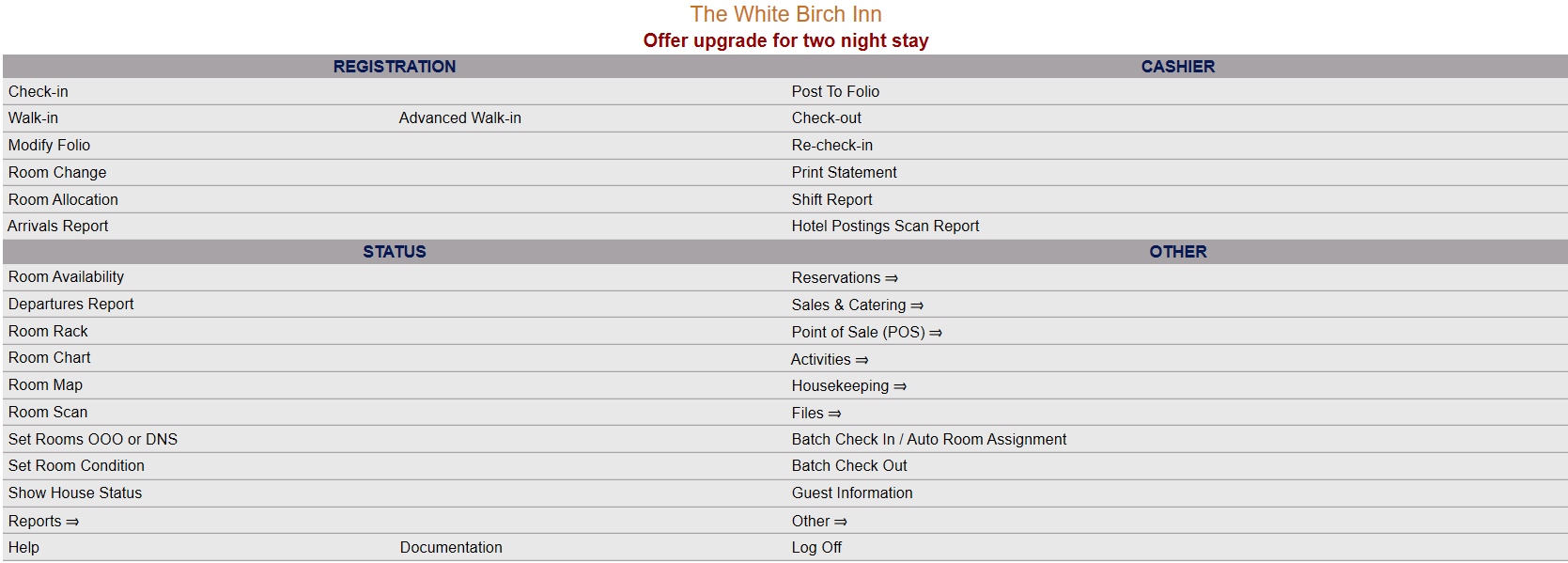 OR
OR 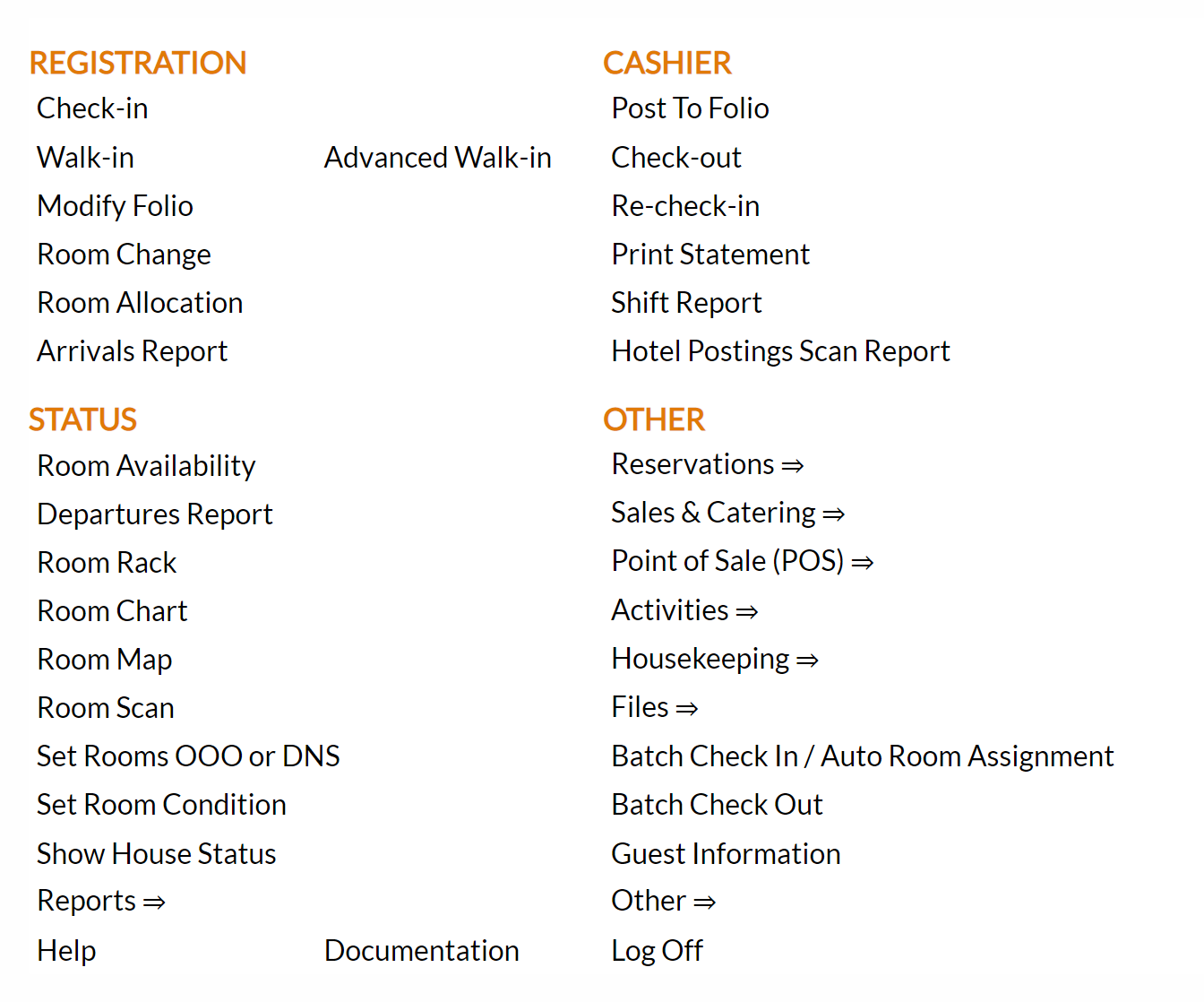
From the Other Section, select Other =>.
 OR
OR 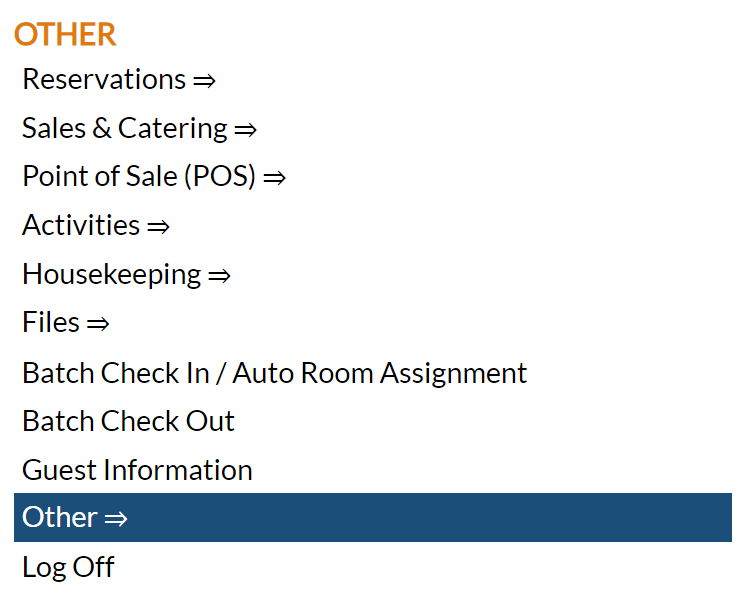
This will display the Other Front Desk Tasks Menu.
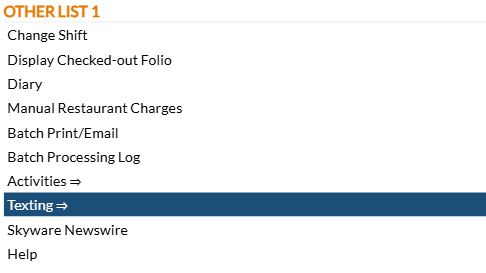
The Other Front Desk Tasks Menu area is divided into four sections: Other List 1, Other List 2, Documents and Web.
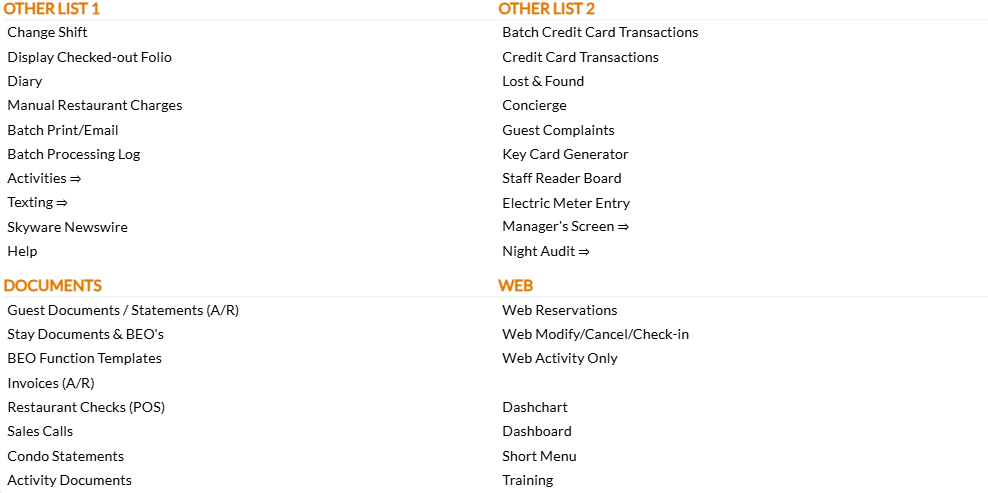
Select the Texting => command from the Other List 1 section.
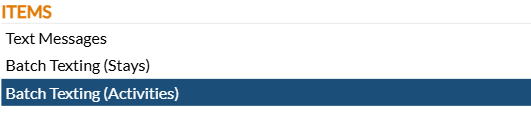
This will display the Texting Menu. The Texting Menu is divided into 4 sections: Items, Reports, Custom Messages and Other.

Select Batch Texting (Activities) from the Items section.
Recipients:
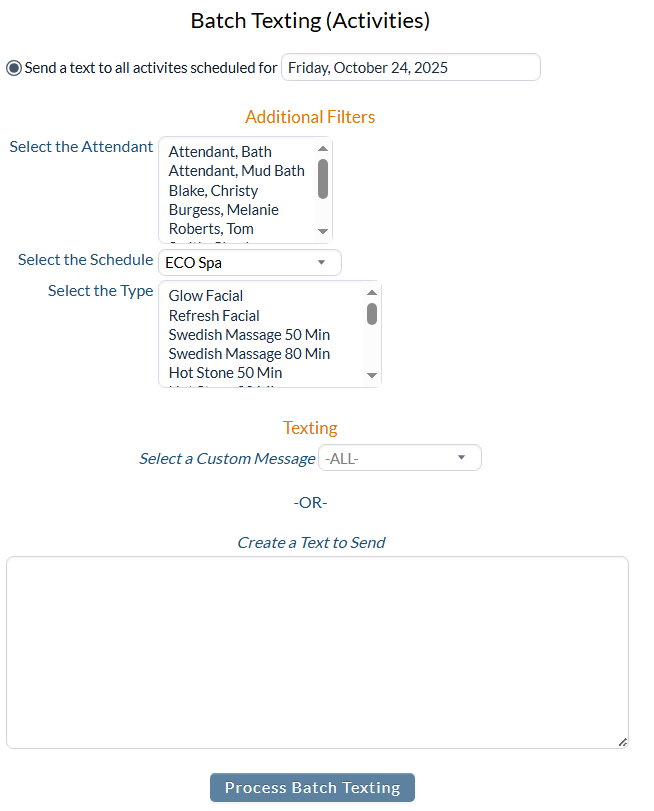
First choose whom will receive the text. The batch text will be sent to all guests with activities scheduled on the selected Date. Select the specific Date using the calendar field. By default, today's system date is selected.
Additional Filters:
Different categories are available to further filter the recipients of the batch text:
Select the Attendant: Use the scrollable list to select the attendants performing the activities that you wish to have a text sent for. Multiple attendants may be selected with this option.
Select the Schedule: this is a drop-down list of all the available Schedule Types at your Property. Select one.
Note: The different activity types available to select from will be changed according to the Schedule Type selected. Only activities that are associated with the selection will be shown.

Select the Type: Use the scrollable list to select the activities available at your selected Schedule Type that you wish to have a text sent for. Multiple activity types may be selected with this option.
Once you have selected whom will receive the text message, the body of the text message must be generated.
If you have a previously prepared custom message that you wish to send, use the drop-down menu next to the Select a Custom Message option to select the correct message from the available options. The messages available in this list are generated using the Texting Custom Messages (Activities)screen, and may be re-used as often as needed.
If not, use the Create a Text to Send field to enter in the desired message.
Once you have selected the recipients and generated the text message to be sent, click the button Process Batch Texting to send it.
Note: Please allow time for the texts to be sent out. This is to help ensure that the texts are not seen as spam by the receiving services.